Trades Manager: user manual
Jobs, technicians, quotes and AMC for service businesses. For AC repair, plumbing, electrical, cleaning and pest control.
Open Trades Manager Try the demo
Watch: the whole app in under a minute
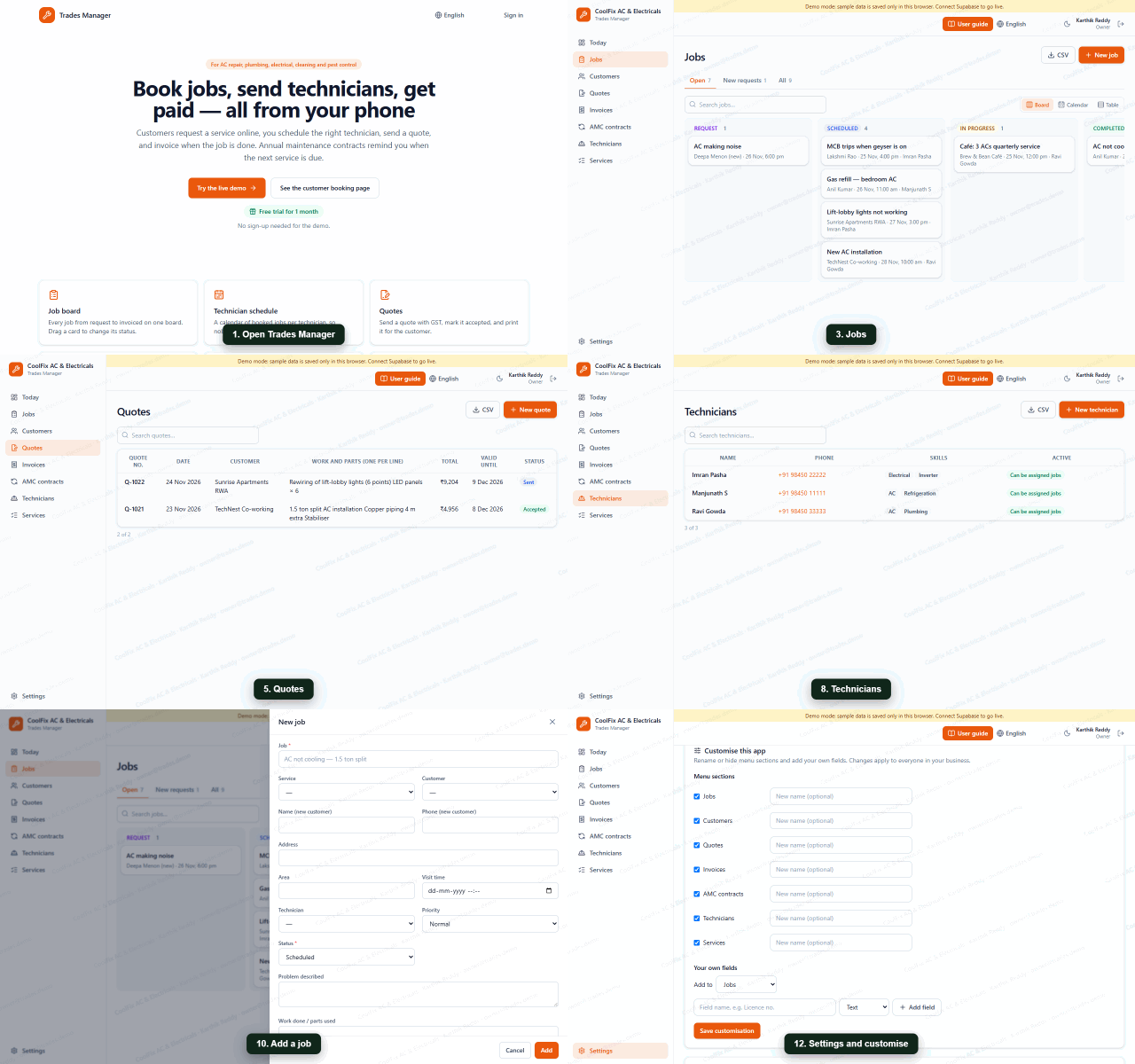
Step by step
- Open Trades Manager
Open https://trades.humaap.in on a phone or computer. Click “Try the live demo” to look around with sample data, or sign up to start your free 1-month trial.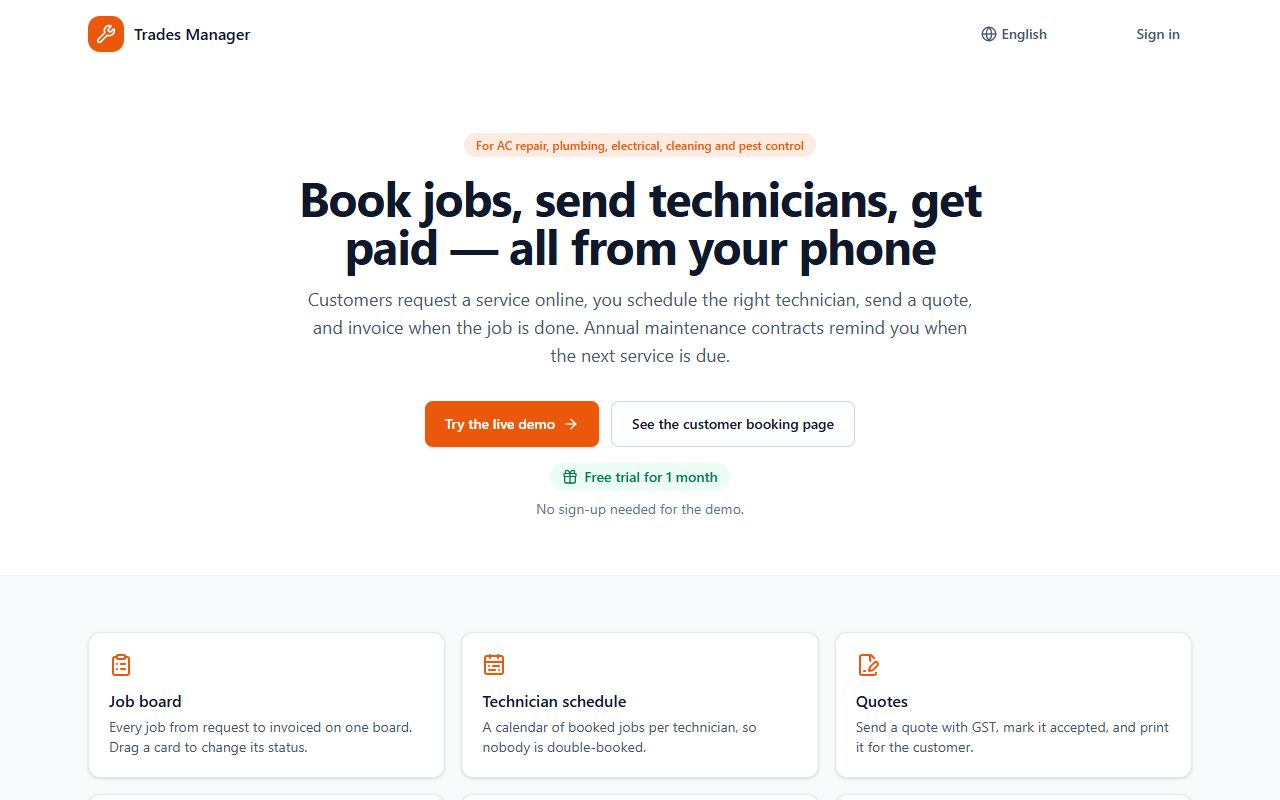
- Dashboard
The dashboard shows today’s numbers and what needs your attention. Click a panel title to open the full list.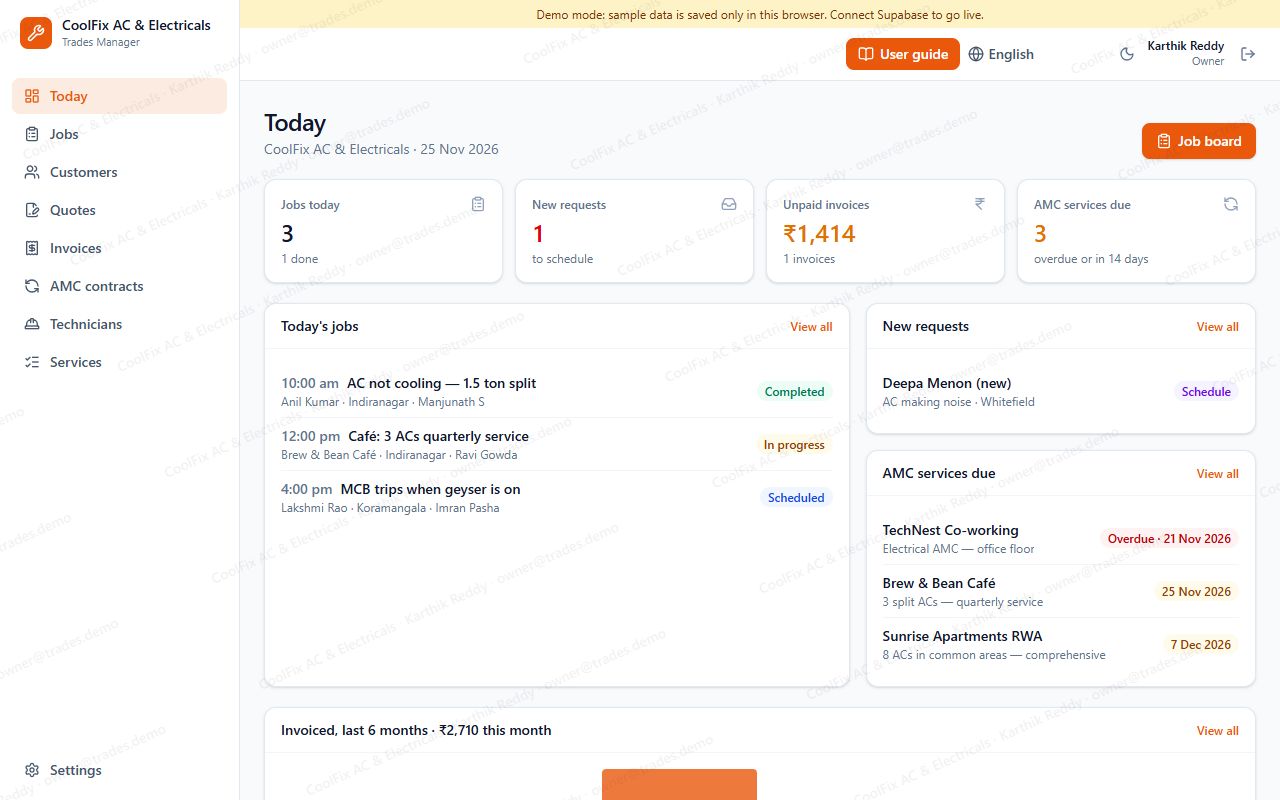
- Jobs
Each job holds: Job, Service, Customer, Name (new customer), Phone (new customer), Address, Area, Visit time. Tabs at the top filter the list (Open, New requests, All). Open a record to use: Start job, Mark completed, Call customer, Cancel.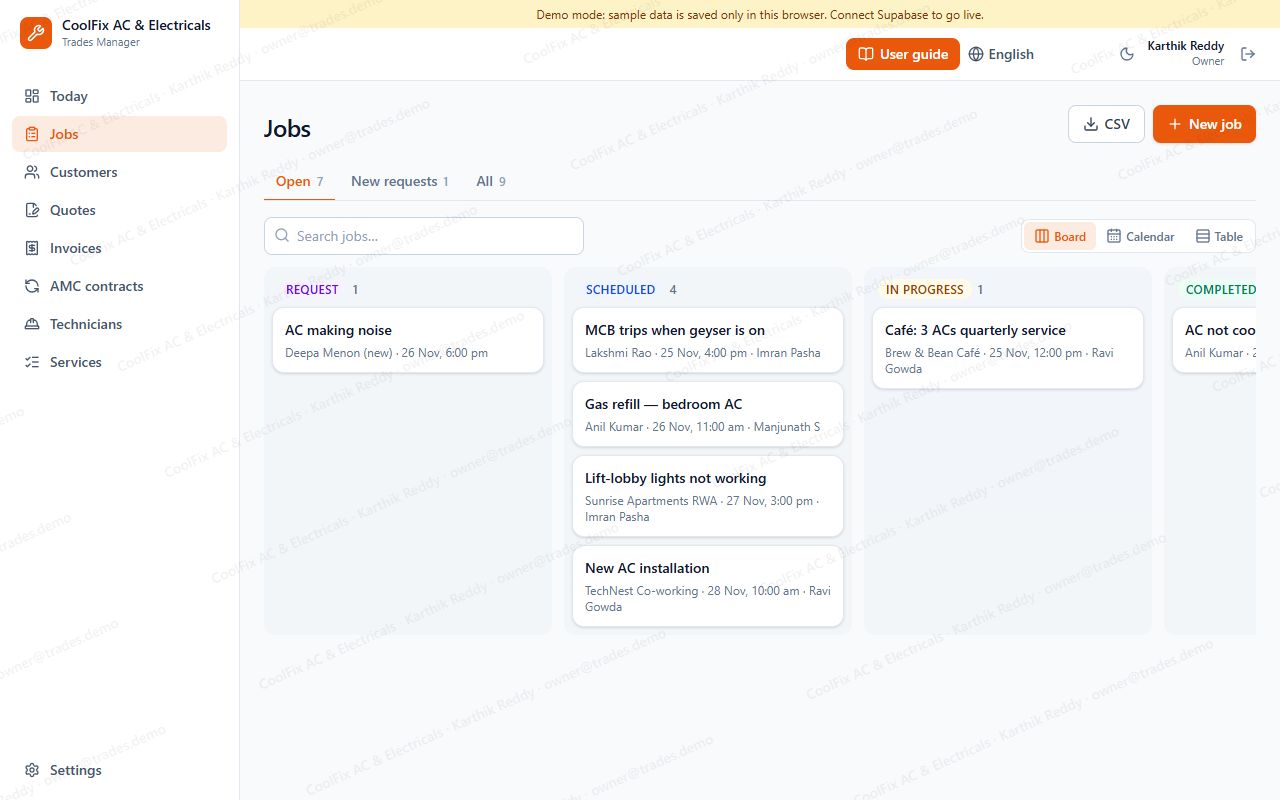
- Customers
Each customer holds: Name, Phone, Email, Type, Address, Area, Notes.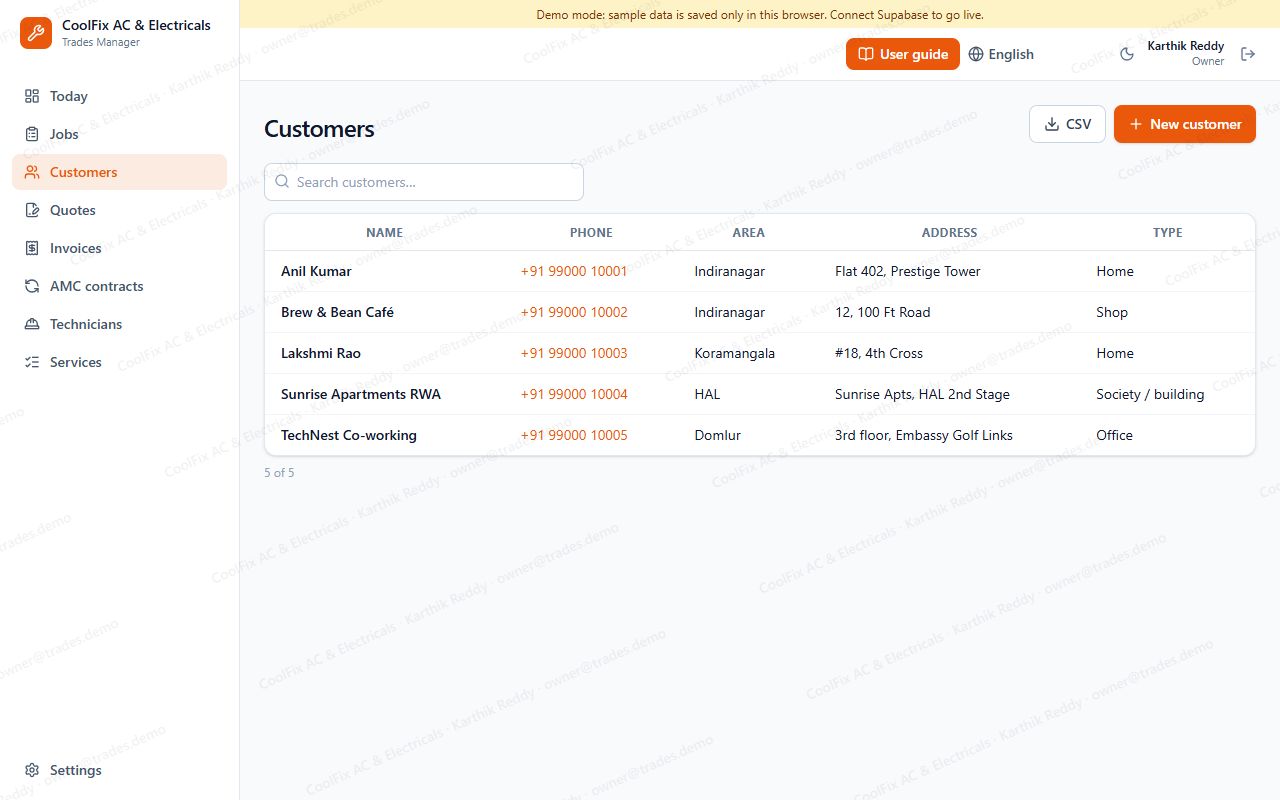
- Quotes
Each quote holds: Quote no., Date, Customer, Job, Work and parts (one per line), Amount (before tax), GST %, Valid until. Open a record to use: Mark accepted, Print quote.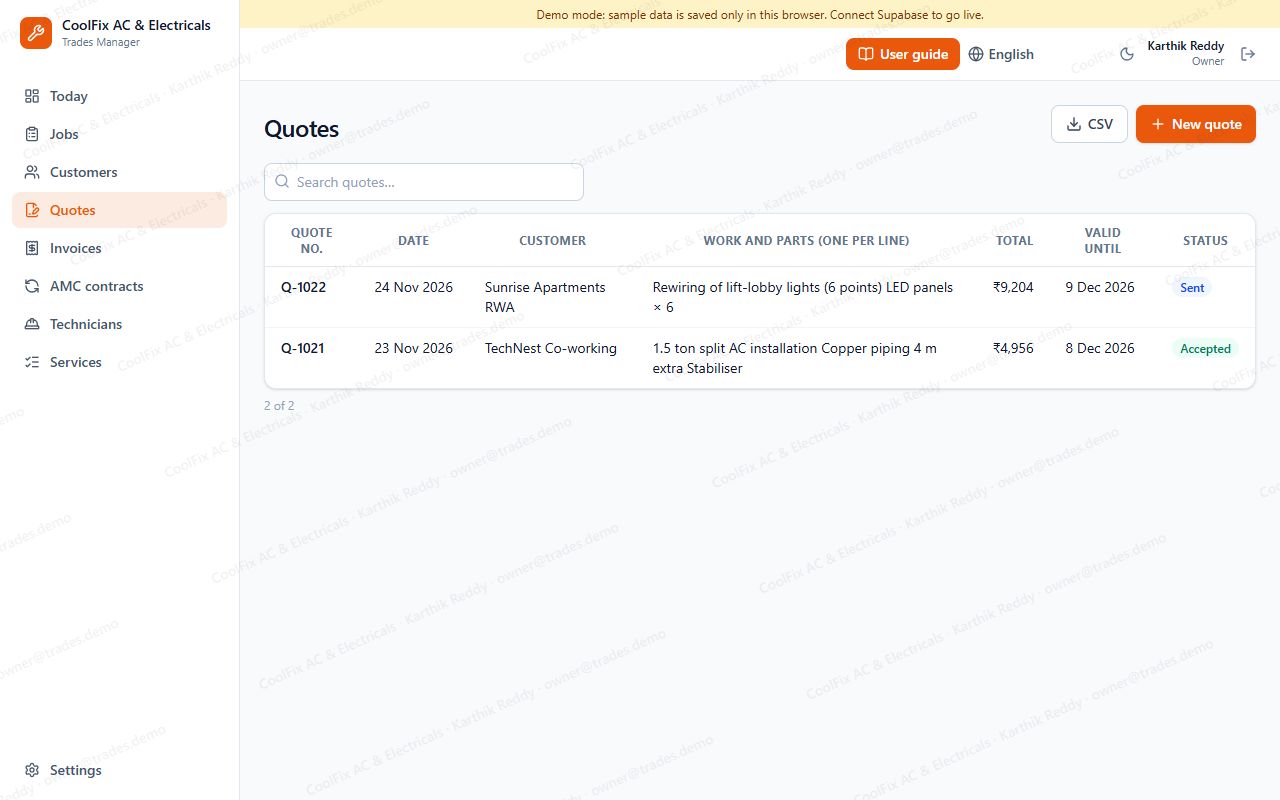
- Invoices
Each invoice holds: Invoice no., Date, Customer, Job, Work done, Amount (before tax), GST %, Paid by. Tabs at the top filter the list (All, Unpaid). Open a record to use: Mark paid, Print invoice.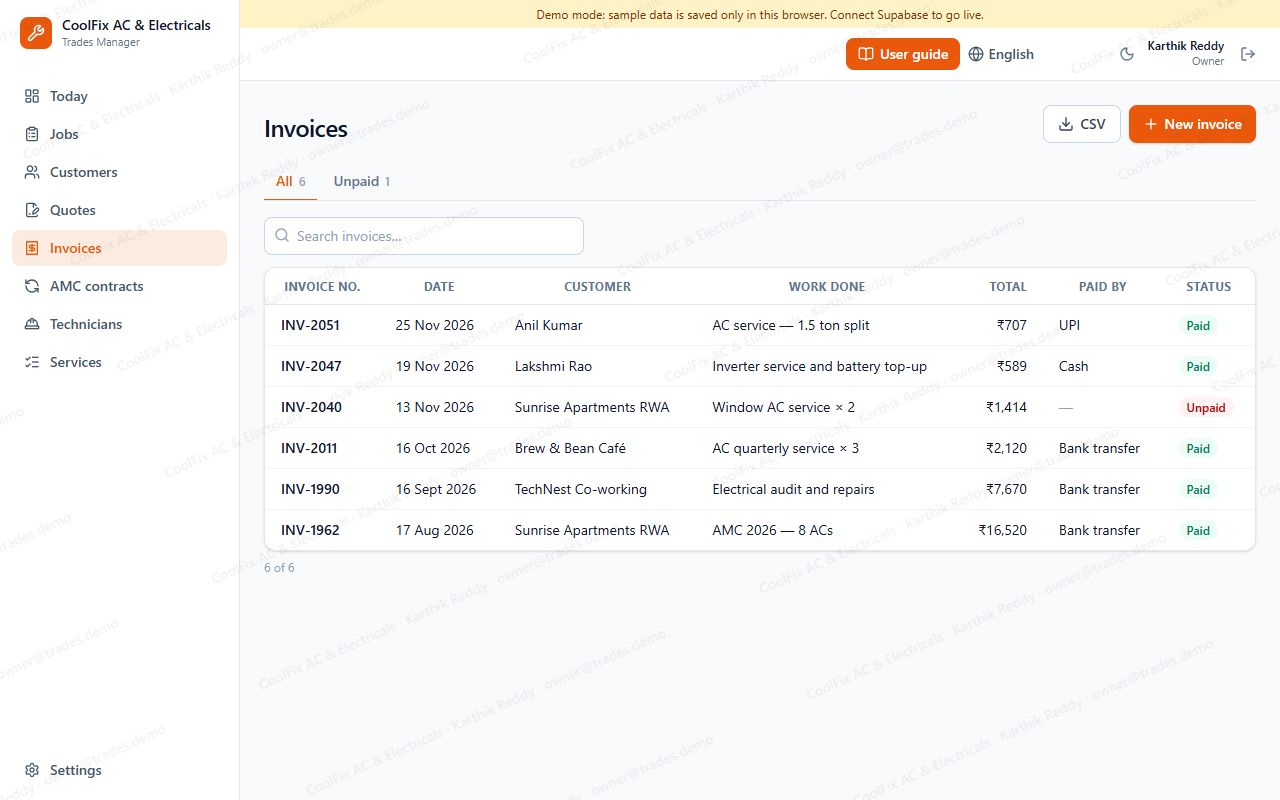
- AMC contracts
Annual maintenance contracts. "Service done" moves the next service date forward. Each contract holds: Customer, Plan, Start, End, Services a year, Next service, Contract value, Status. Tabs at the top filter the list (Active, Service due (30 days), Renewal due, All). Open a record to use: Service done.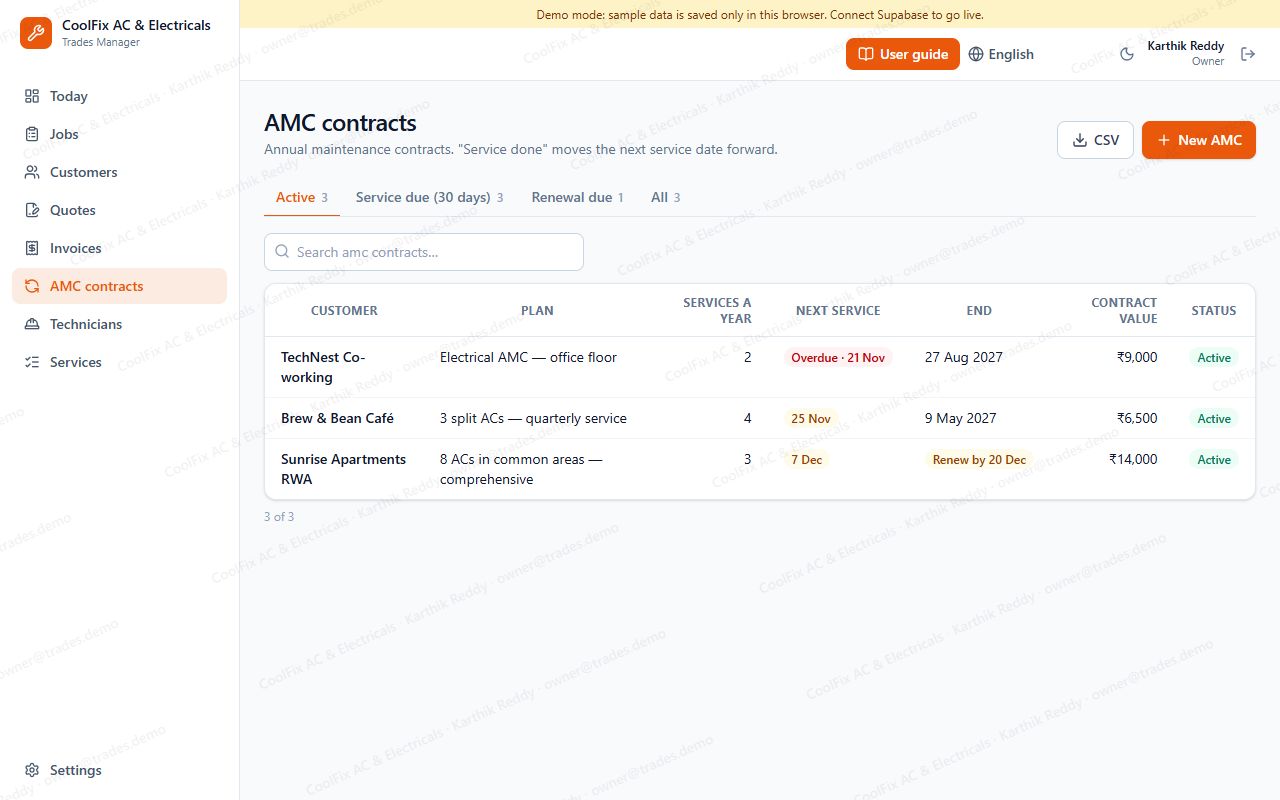
- Technicians
Each technician holds: Name, Phone, Skills, Active.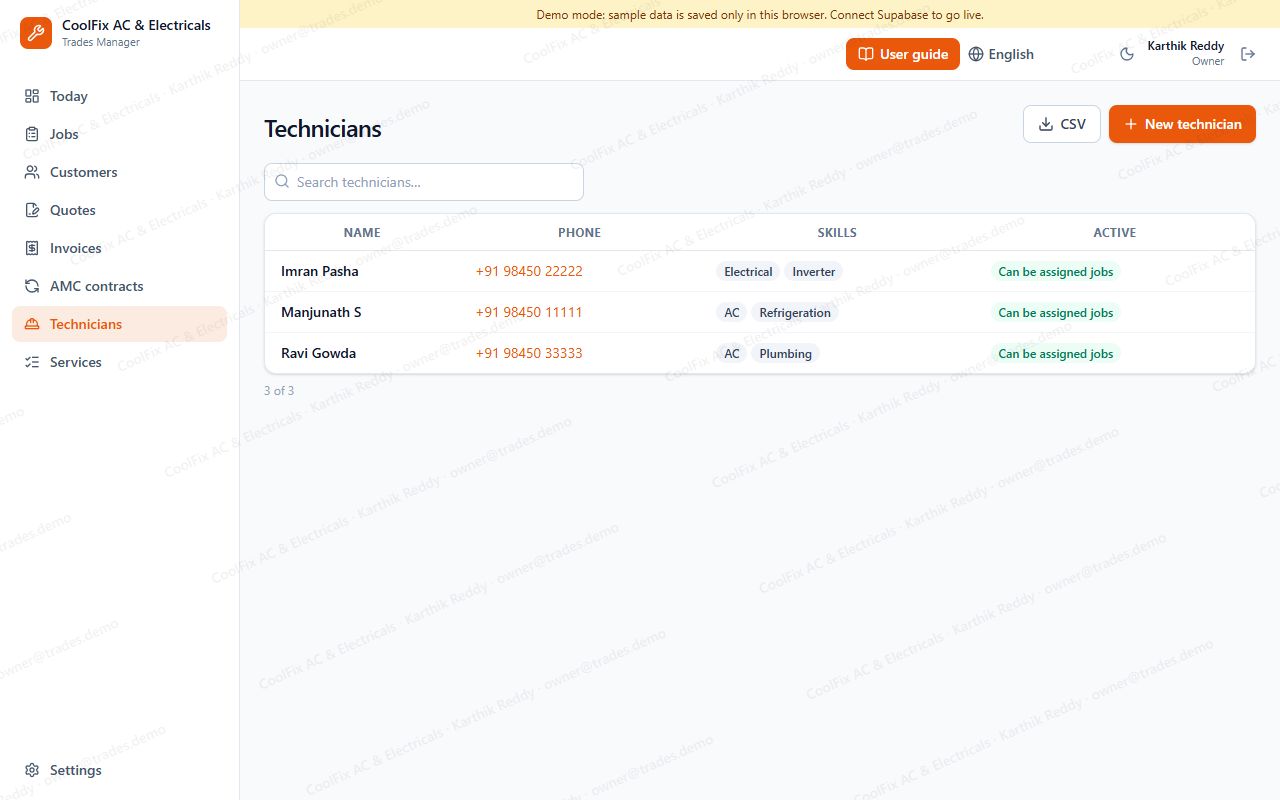
- Services
Shown on your public booking page. Each service holds: Service, Starting price, Description, Order, Public page.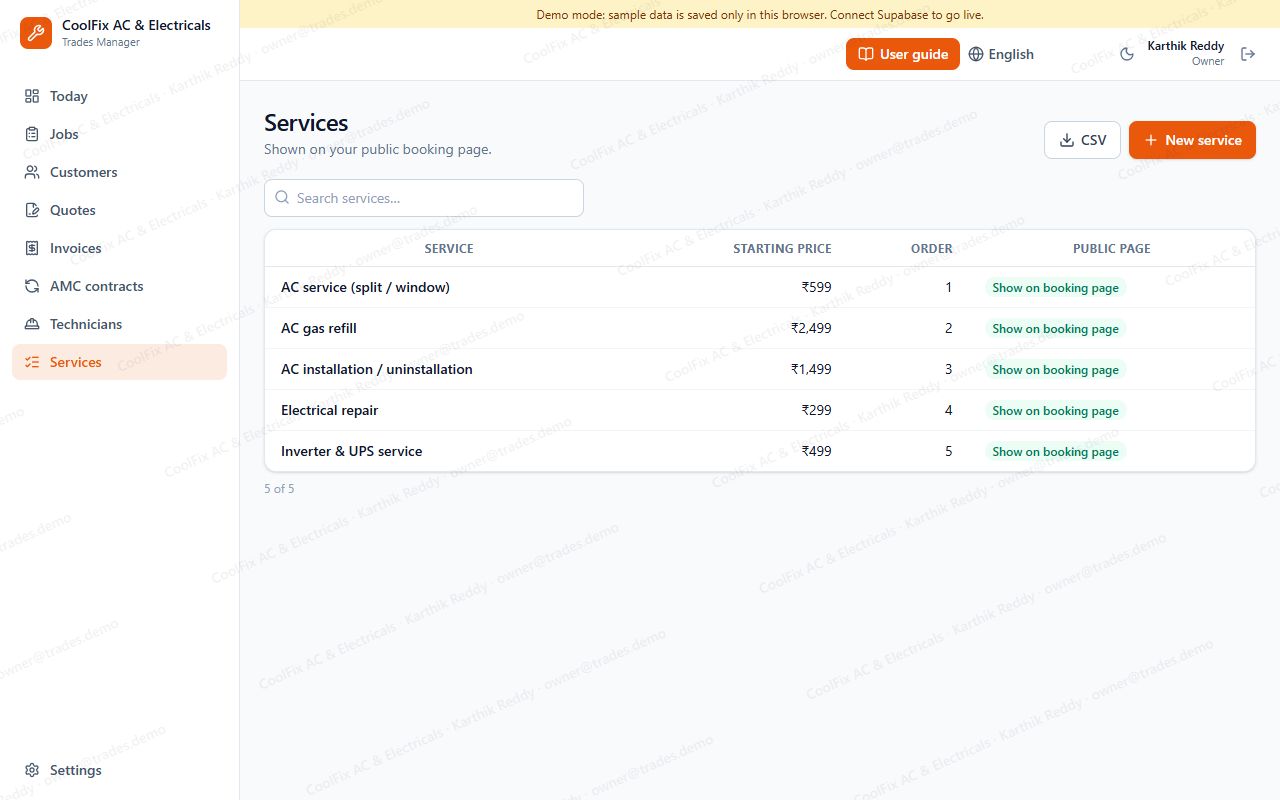
- Add a job
Click “New job”, fill in the form and click Add. Fields marked * are required.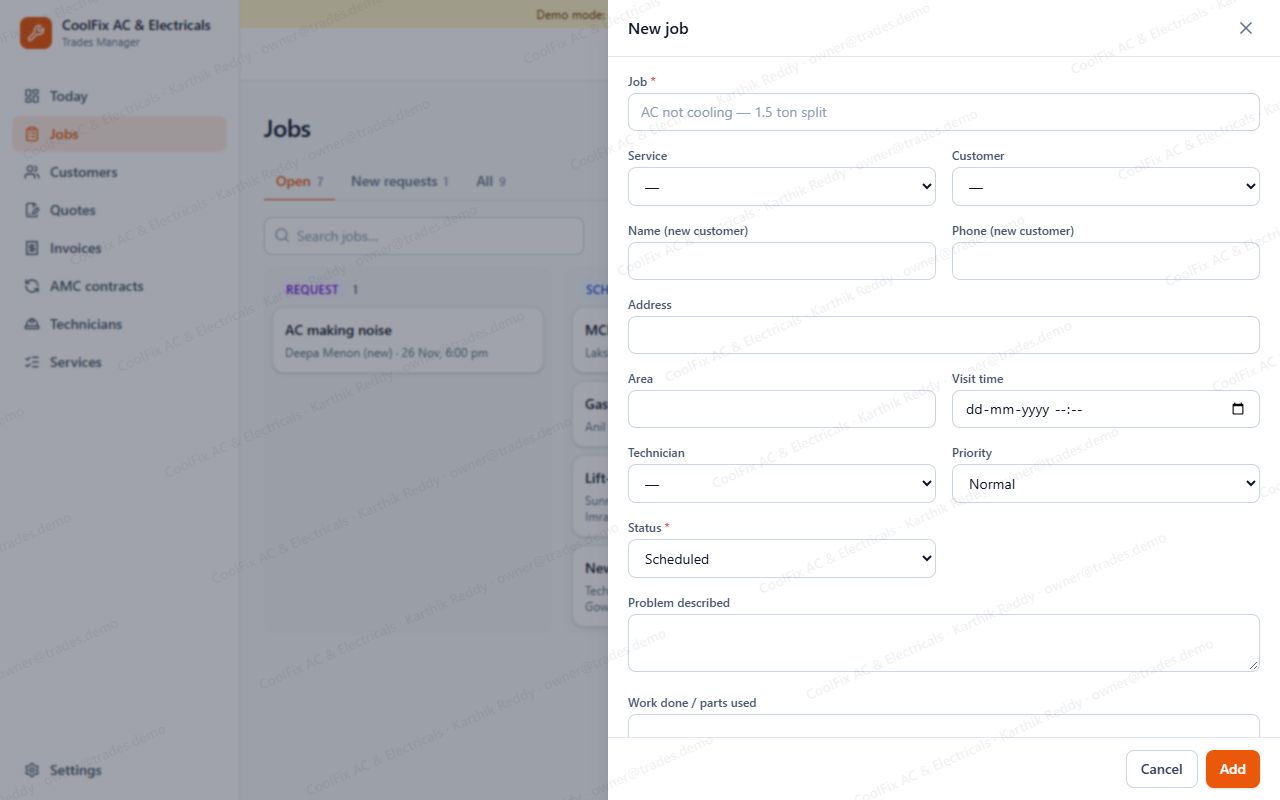
- Online booking page
Share it on WhatsApp, Google Business and Justdial. Requests arrive under Jobs → New requests. Find your link in Settings and share it on WhatsApp, Instagram or Google.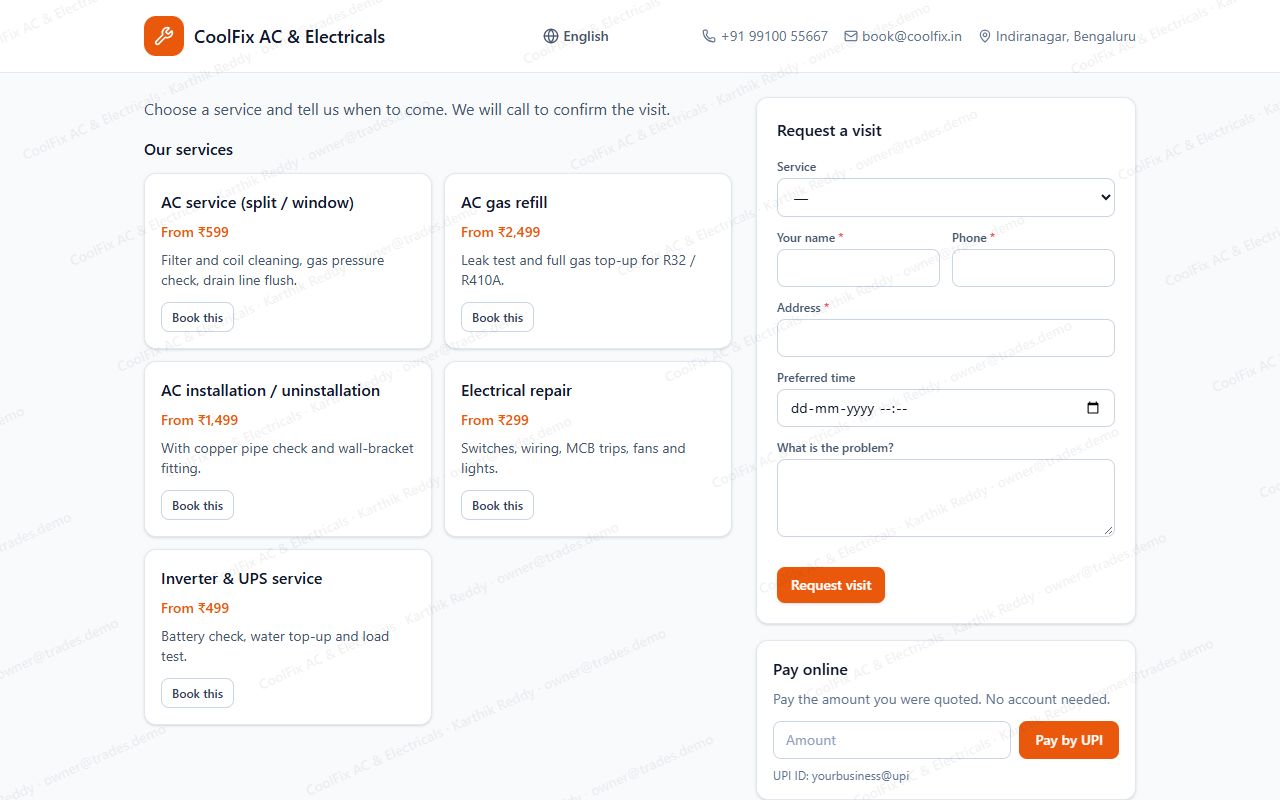
- Settings and customise
Add your business details and logo, invite your team with the join code, and use “Customise this app” to rename or hide menus and add your own fields. Change the language from the globe menu.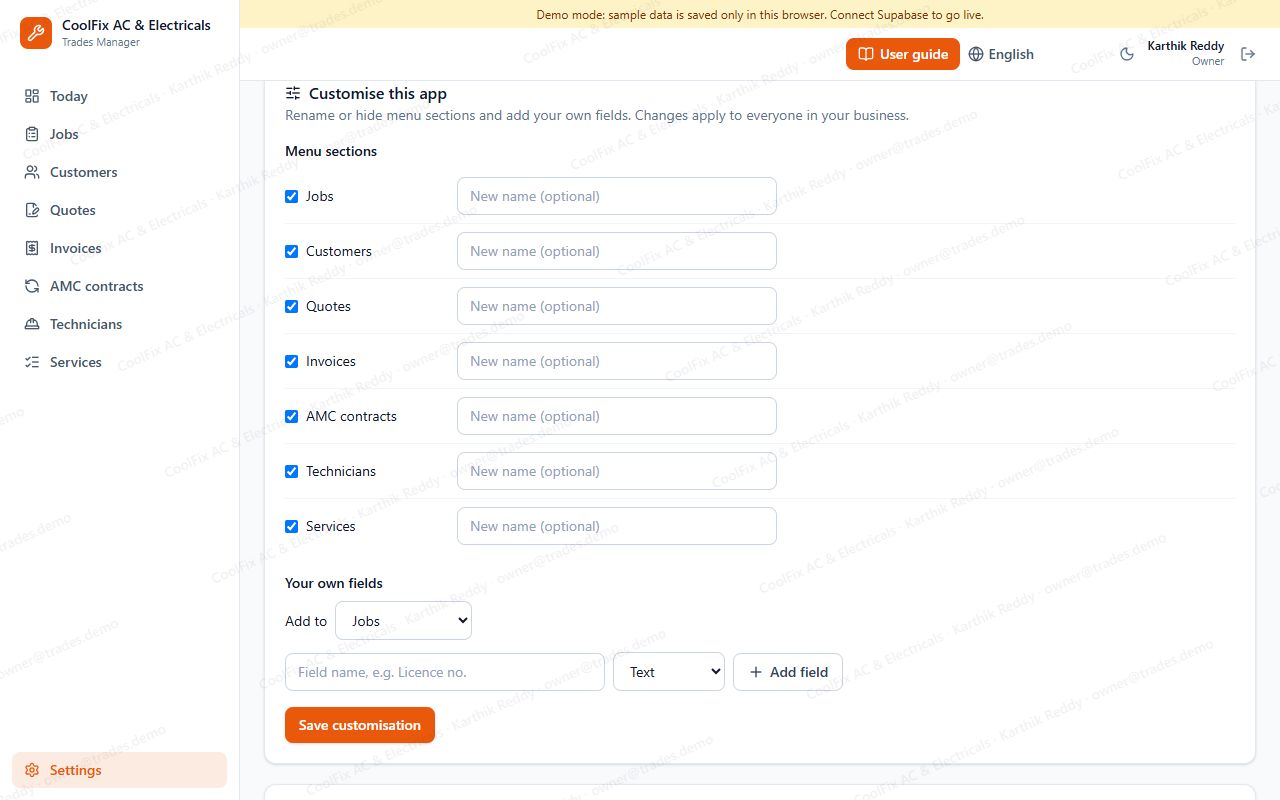
Good to know
- The demo uses sample data saved only in your browser; sign up to use your own data.
- Screens are protected: copying, printing and screenshots are discouraged, and every screen carries a faint watermark with the user’s name.
- Only owners and managers can download data (CSV).
- Works on phone and computer, in 12 languages (globe menu).